Features · Broadcast Manager

Everything a broadcast crew does. Without the crew.

Broadcast Manager automates the entire YouTube side of your season — creating, branding, starting, stopping, and archiving every game.

01 / Automation

Schedule once. Every game becomes a broadcast.

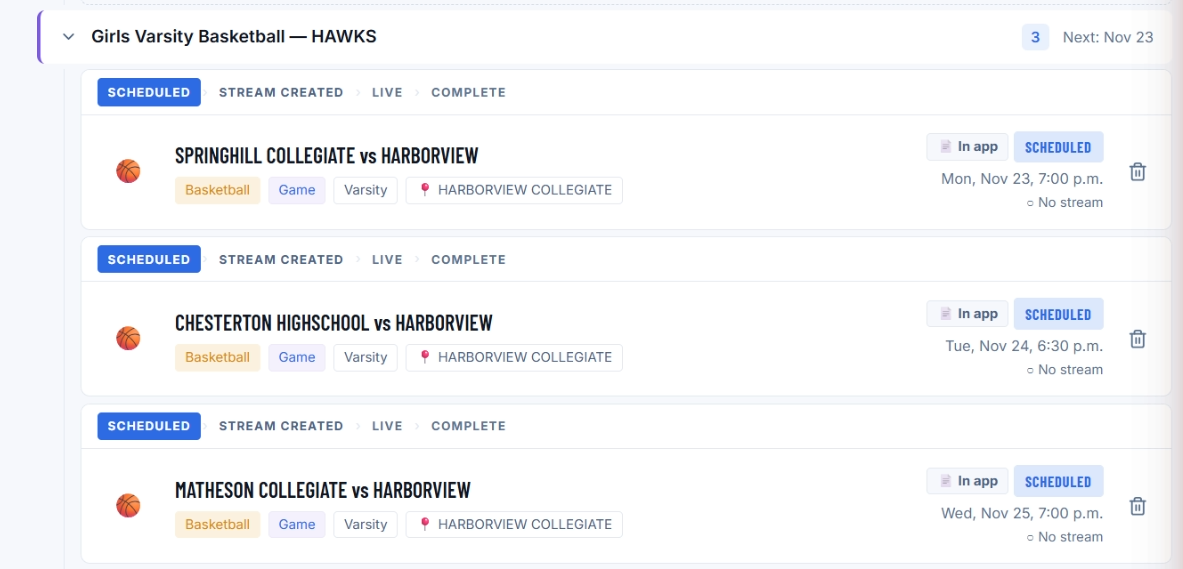
Add your season — or import it — and every game is created as a scheduled YouTube live broadcast automatically: on the right channel, at the right local time, with the right title.

Scheduled broadcasts, created for you
Correct local game times, every venue
Consistent, searchable titles
Season schedule with auto-created YouTube broadcasts
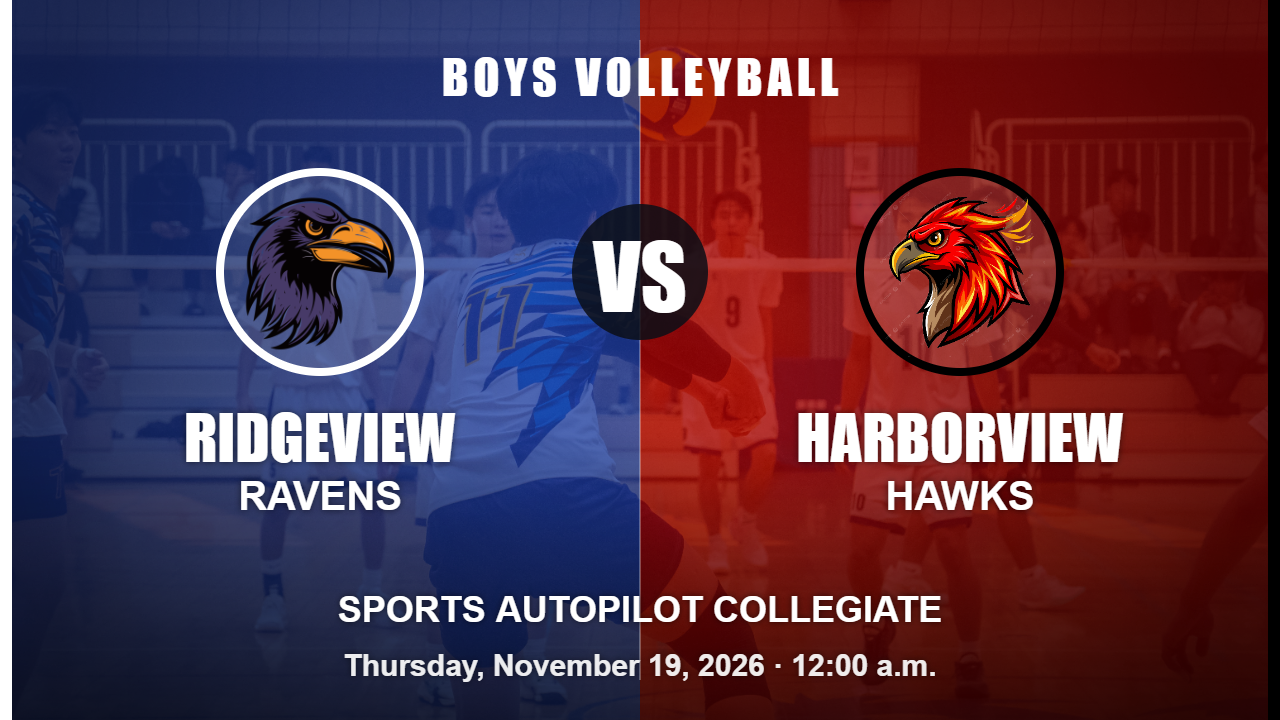
Auto-generated Harborview vs Ridgeview matchup thumbnail
02 / Branded thumbnails

Matchup art, made for every game.

Home-vs-away thumbnails are generated automatically from each school or club's logo and colors. Your channel looks like a broadcast network — with zero design work.

Both teams' logos and colors, per game
Generated the moment a game is scheduled
No designer, no editor, no templates to fill
03 / Auto start & stop

Live at game time. Archived after the final whistle.

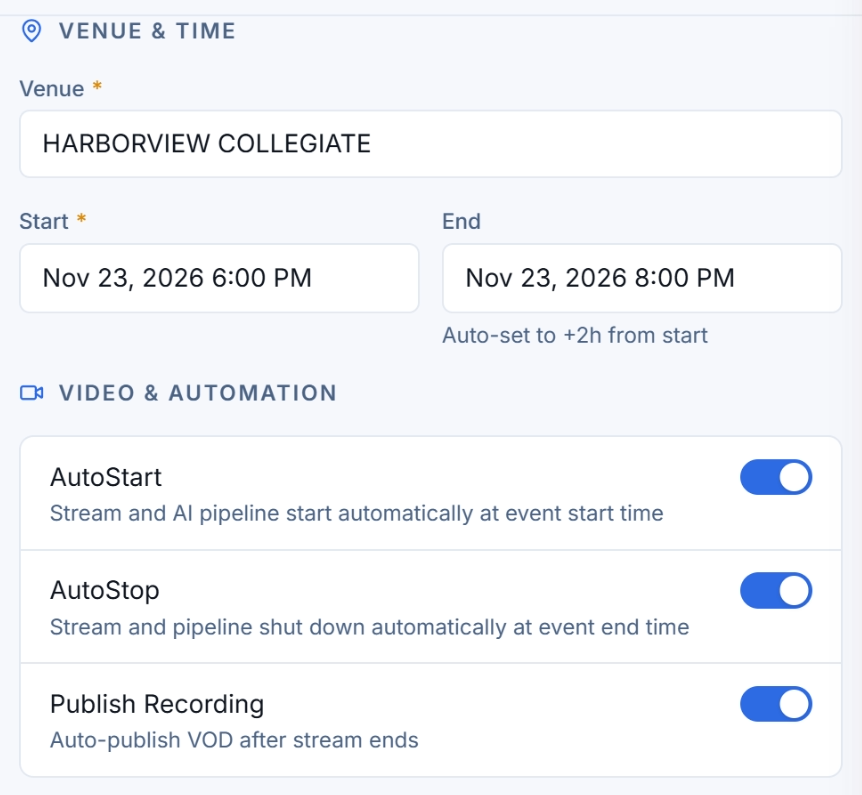
Streams go live and end on their own at game time. Afterward, the recording is published to your channel automatically — every game, live and archived, without a person clicking anything.

Auto-start and auto-stop on schedule
VOD auto-published to your channel
No one has to press start or stop
Auto start and stop broadcast controls
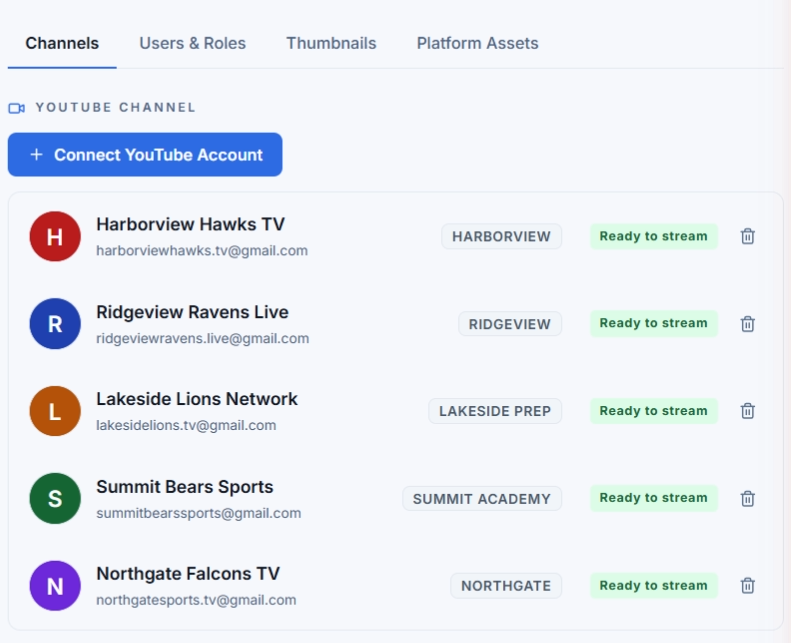
Multiple schools and their connected channels
04 / Multi-school

One account. Every school. Every channel.

Built for broadcast companies and districts: run many schools and clubs from a single account, each streaming to its own connected YouTube channel.

Unlimited schools on the Broadcast Company plan
Each school streams to its own channel
One schedule view across everything
05 / Your channel, yours

You keep full ownership of your YouTube channel.

You connect your own channel through Google's secure sign-in. Sports Autopilot creates and manages broadcasts on it on your behalf — we never take ownership, and you can disconnect or revoke access at any time.

Connect via Google's official authorization
Your subscribers, views, and revenue stay yours
Revoke access anytime from your Google account

No YouTube channel? Optional: Sports Autopilot will offer fully hosted solutions for clients who have no YouTube channel — contact us for details.

See exactly what we access and why in our Privacy Policy.

Connect your YouTube channel
Authorized through Google OAuth.
You approve exactly what Sports Autopilot can do.
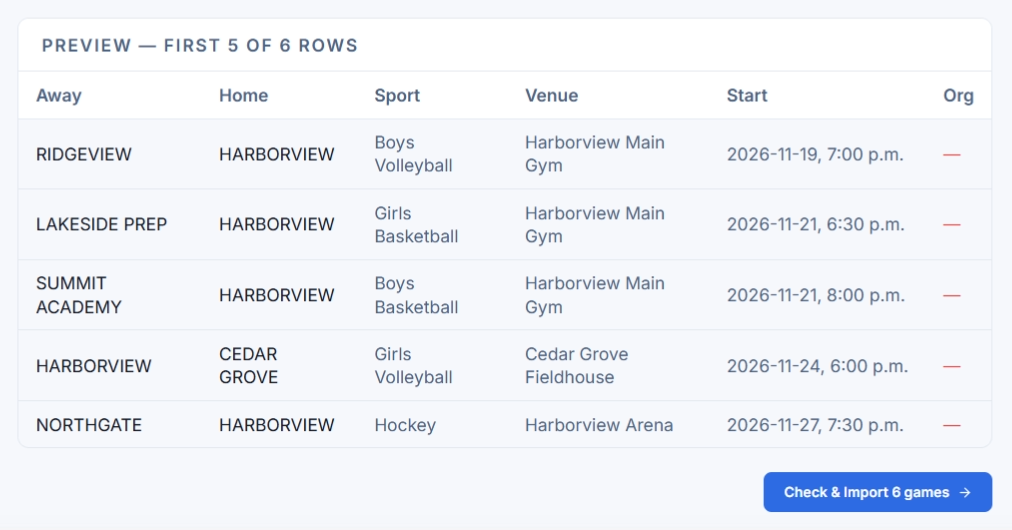
CSV / Excel season import preview
06 / Season imports

Your whole season, in one upload.

Import a CSV or Excel schedule and Sports Autopilot matches teams and schools automatically. A hundred games take about the same effort as one.

CSV and Excel imports
Automatic team & school matching
Fix-ups in the app, not the spreadsheet

See a real game go live on its own.

Start free — no payment to begin.

Start free trialSee pricing →